Unlimited Mobile
Exam Scanning.
The ultimate exam scanner with **zero monthly caps**. Our unified camera automatically detects exam and student data. Easily unlock additional scanning sessions for free or go Premium for a completely seamless experience. Print up to 6 answer sheets per page and export results to Excel instantly.
Powerful Features for Modern Educators
Everything you need to streamline exam grading and gain valuable insights into student performance
Unified Smart Detection
One scanner for all your exams. The app automatically identifies the exam type and student from dedicated codes—no manual sorting required.
Encrypted Storage
All student data is stored in an encrypted SQLite database directly on your device. Your data never leaves your phone.
Item Analysis
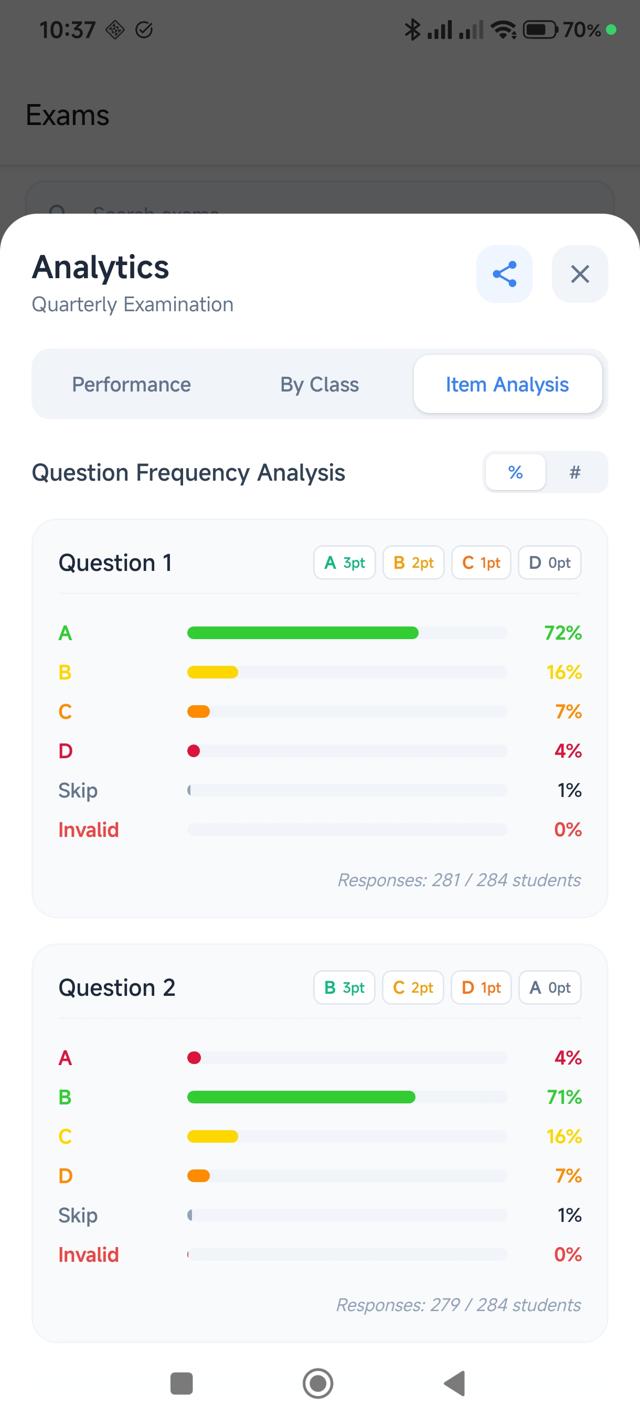
View detailed per-question analytics showing answer distribution and identify which questions students found challenging.
Class Management
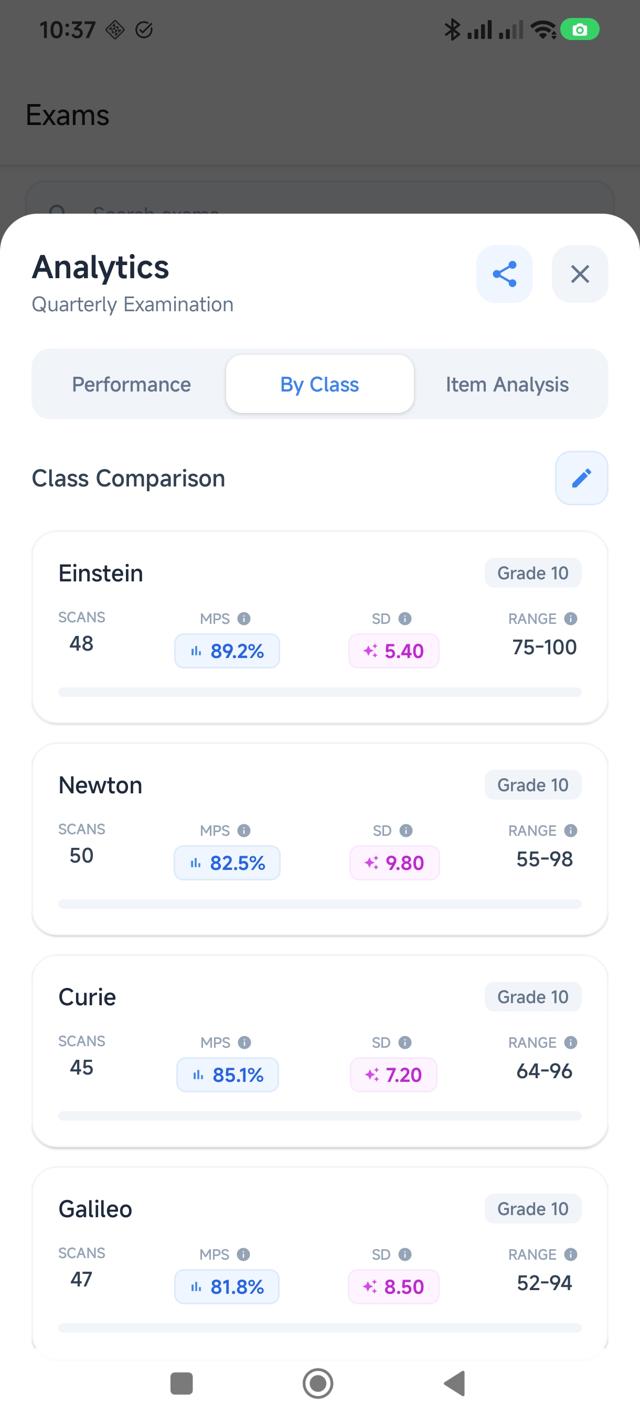
Organize students by class, track progress over time, and manage multiple sections effortlessly.
Excel Export
Generate professional Excel reports with student scores, percentages, and analytics. Share via email or cloud storage.
On-Device Privacy
All scanning and data processing happen locally. Your students' information stays securely on your device for maximum privacy.
Unlock Classroom
Intelligence
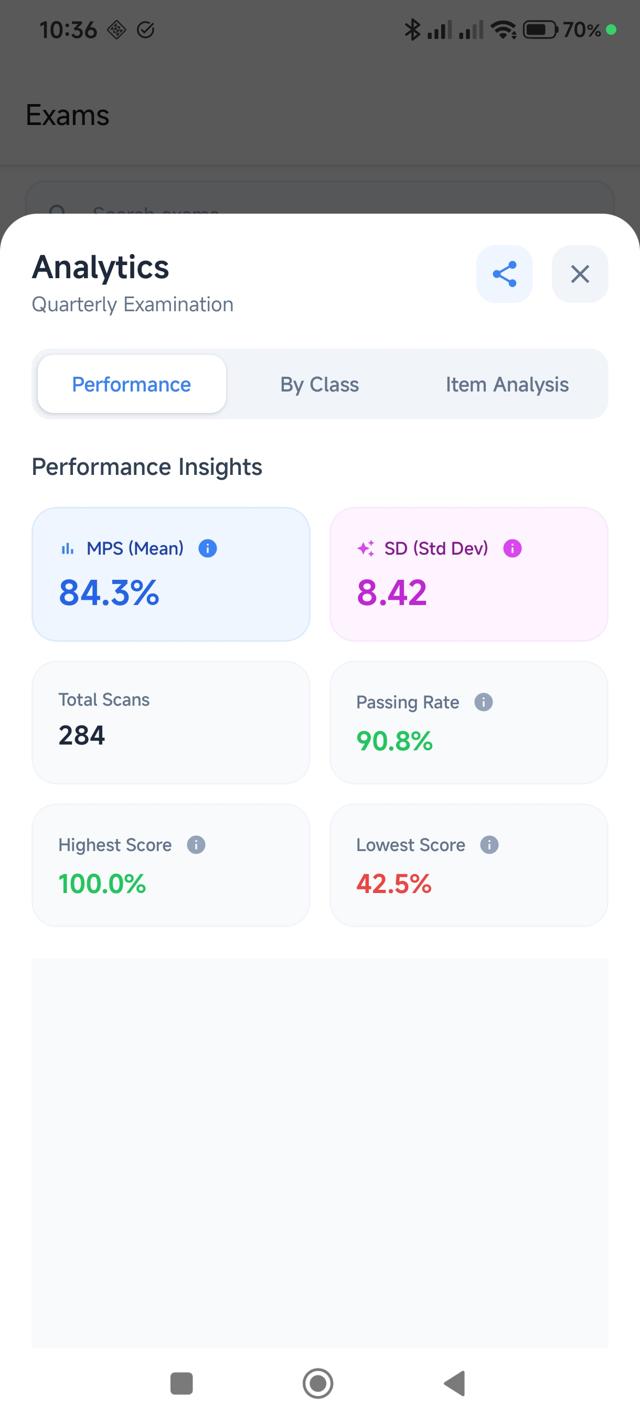
Beyond just grading, ExamScanify provides a deep dive into student performance. Identify learning gaps instantly with automated item analysis and visual reporting.
Performance Benchmarking
Compare results across multiple classes and exam versions effortlessly.
Distractor Analysis
See which wrong answers students are choosing to identify specific misconceptions.
Simple 3-Step Process
From setup to insights in minutes
Create Your Exam
Set up your class, add students, and create an exam with your answer key. Choose between Classic or MDAT scoring modes.
One Scanner fits All
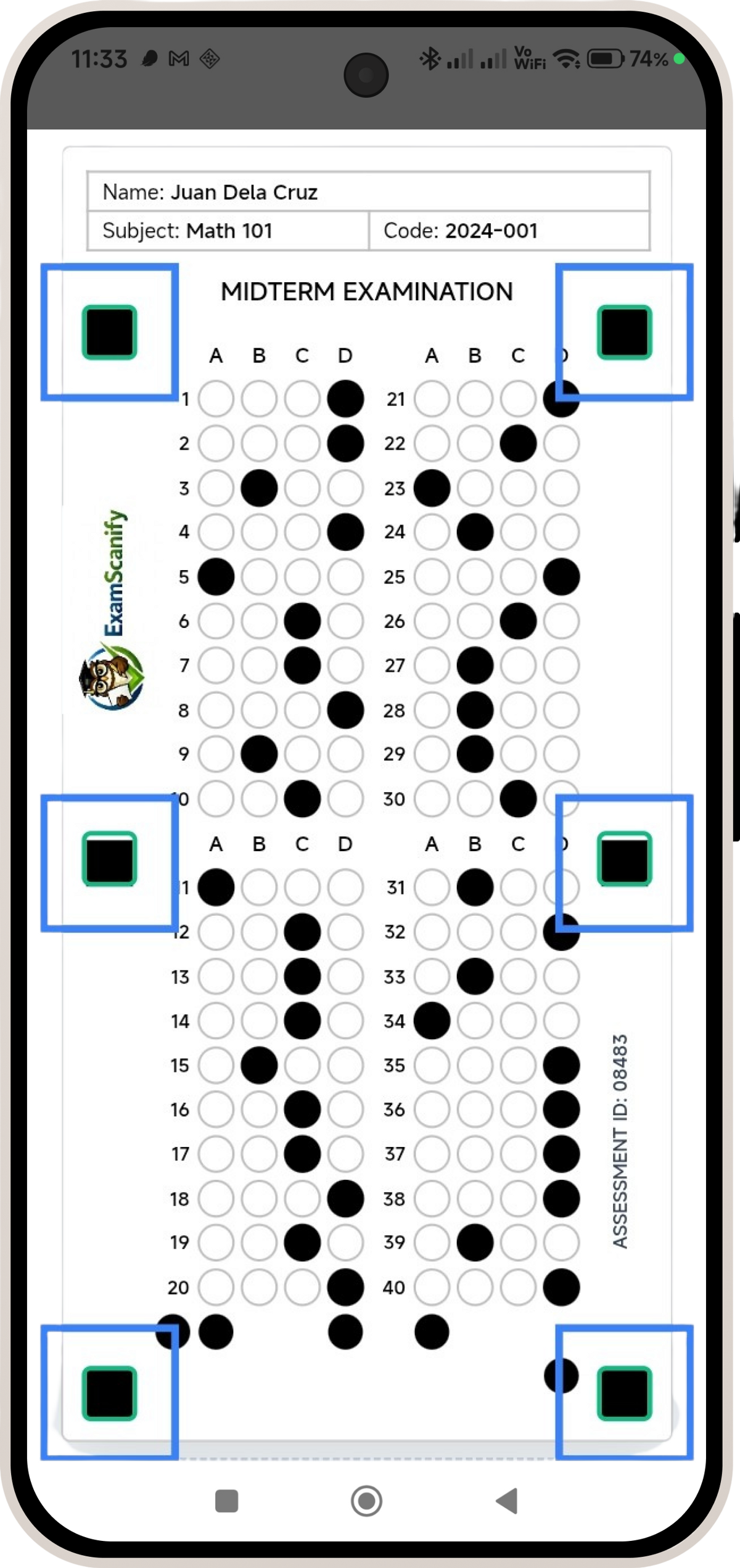
No need to switch folders or settings. Use a single scanner for all your exams. The app detects the student and exam type automatically from the sheet's code.
Analyze & Export
View detailed analytics, item analysis, and student performance trends. Export to Excel for record-keeping.
Simple, Transparent Pricing
Subscription can be cancelled anytime
Free Forever
Essential tools for every teacher
- No monthly scanning limits
- Unified Smart Auto-Detection
- Item Analysis & Data Exports
- Contains Ads
Monthly
per month
Flexible monthly access
- No advertisements
- Support development
- Cancel anytime
Annual
per year
Ultimate value for teachers
- No advertisements
- Support development
- Best value pricing
- Cancel anytime
Frequently Asked Questions
How does the scanning work?
ExamScanify uses OpenCV technology to detect the 6 black markers on your answer sheet. Once all markers are detected (shown by green indicators), the app automatically captures and processes the image, detecting shaded bubbles and calculating scores in real-time based on your answer key.
Is my student data safe?
Absolutely! All student names, codes, and scores are stored in an encrypted SQLite database directly on your device. Data is only transmitted when you choose to export it. We prioritize privacy and never upload your student data to external servers.
Can I use it offline?
ExamScanify is designed to handle all core scanning and grading tasks on-device. You can manage student records and view analytics locally, while modern features utilize standard connectivity for optimal performance.
What's the difference between Classic and MDAT modes?
Classic mode uses traditional right/wrong scoring where each correct answer gets 1 point. MDAT (Multiple Distractor Analysis Test) mode allows you to assign different point values to each answer choice, enabling partial credit and more nuanced assessment of student understanding.
How do I export results?
Open any exam and tap the Share icon. ExamScanify will generate a professional Excel file containing student scores, percentages, and analytics. You can then share it via email, save to cloud storage, or transfer it to your computer.
Do I need to select the exam before scanning?
No! Unlike competitors that use generic answer sheets, ExamScanify uses dedicated sheets with built-in codes. Our unified scanner automatically identifies which exam you are grading and which student it belongs to, allowing you to scan a stack of different exams in one go without changing any settings.
Is scanning really unlimited?
Yes! All users can scan unlimited times. Free users can easily unlock additional scanning sessions for free by completing a brief interaction when prompted. Premium users ($5.08/per year) enjoy a completely seamless, uninterrupted experience with priority access to all features.
Ready to Transform Your Grading?
Join thousands of educators who are saving time and gaining insights with ExamScanify